SundayPlan HQ
Sunday Plan for Mac

Plan Sundays in minutes.

Your worship lyrics, videos and announcements on the projector, straight from Planning Center. Beautiful moving backgrounds, smooth transitions, and simple enough for any volunteer to run.

For Macs with Apple silicon (M1โ€“M4) or Intel. Works with Planning Center Services.
Sunday Plan
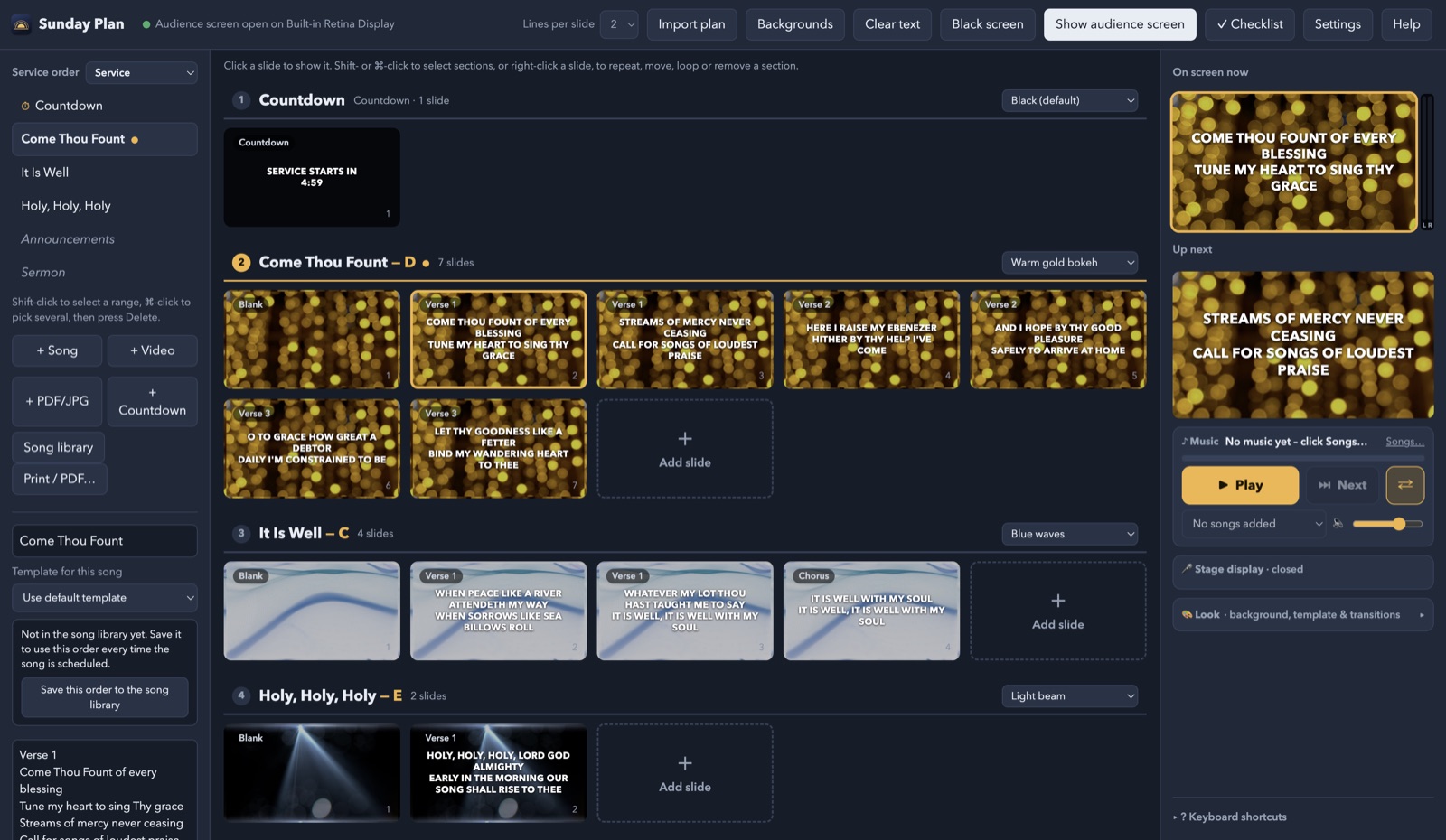
The Sunday Plan window: the service order on the left, slides in the middle, and what's on screen on the right
ON THE PROJECTOR Song lyrics in capital letters over a warm gold moving background
How it works

From your plan to the screen in three steps

No retyping lyrics on Saturday night. If it's in Planning Center, it's ready.

1

Import the plan

Pick the service and the date. Every song comes in with its lyrics, in the order your worship leader planned, repeated choruses and all. Sermon notes and announcements come along too.

2

Make it look right

Choose a moving background for each song, a font and a transition. Sunday Plan comes with a library of backgrounds, and you can add your own videos and photos.

3

Click to show

Click a slide, or press the arrow key or a clicker. Each song starts on its background, then the words fade in. Smooth, every time.

Everything a Sunday needs

Built for church volunteers

The things you actually use, without the hundreds of buttons you don't.

๐Ÿ“‹

Planning Center import

Songs, lyrics and arrangements in plan order. Re-import when the plan changes; your backgrounds and edits stay.

โœจ

Moving backgrounds

A starter library is included. Backgrounds dissolve slowly from one song to the next.

๐ŸŽธ

Stage display

The band sees the current and next lines, a clock and timer, and your messages. Even on a TV over AirPlay.

๐Ÿ–ผ๏ธ

PowerPoint, Keynote, PDF

Drop in announcement slides, photos or a sermon deck. Add words on top of any picture.

๐ŸŽฌ

Videos and countdowns

Play announcement videos with sound, and a "Service starts in 4:59" countdown before the service.

๐Ÿ“ฑ

Clicker and phone remote

Use a presentation clicker, the keyboard, or a phone on the church Wi-Fi to change slides.

ยฉ๏ธ

CCLI copyright

Show song credits and your church's CCLI license number automatically.

๐Ÿ–จ๏ธ

Lyric sheets

Print or save the whole service as a lyric sheet or order of service, in large print if you like.

๐Ÿ›Ÿ

Safe on Sunday morning

Works if the internet drops, backs itself up every day, and updates with one click.
For the person at the computer

Calm, clear, and hard to get wrong

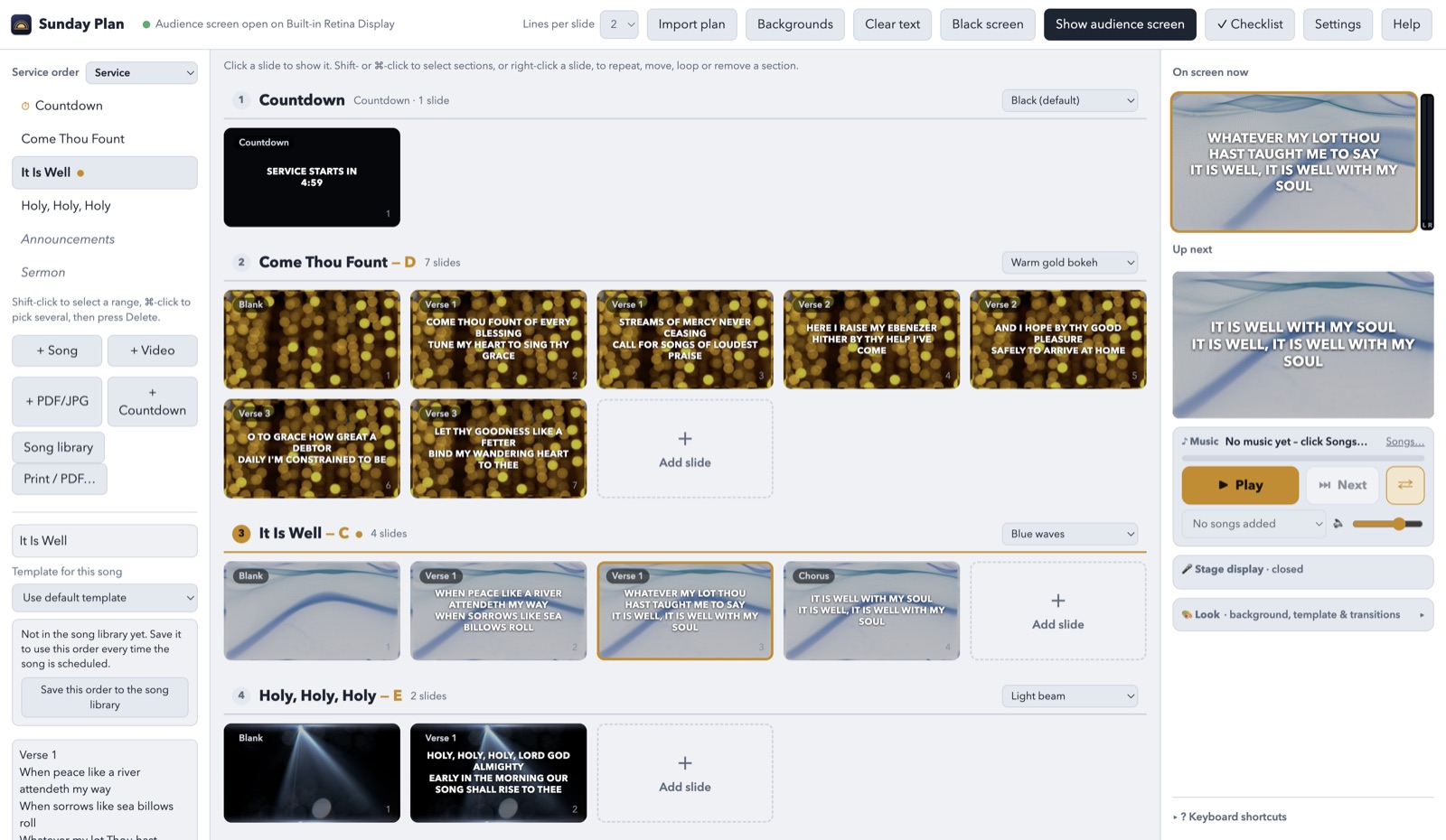
  • See what's on screen and what's next, big and clear on the right.
  • Every song starts on a blank slide so you can move on the moment the band finishes.
  • Clear text or go black with one key when the pastor starts praying.
  • A built-in checklist tells you if anything's missing before the service.
  • A short tour walks new volunteers through it the first time.
Sunday Plan in light mode
For the band

A stage display that keeps everyone together

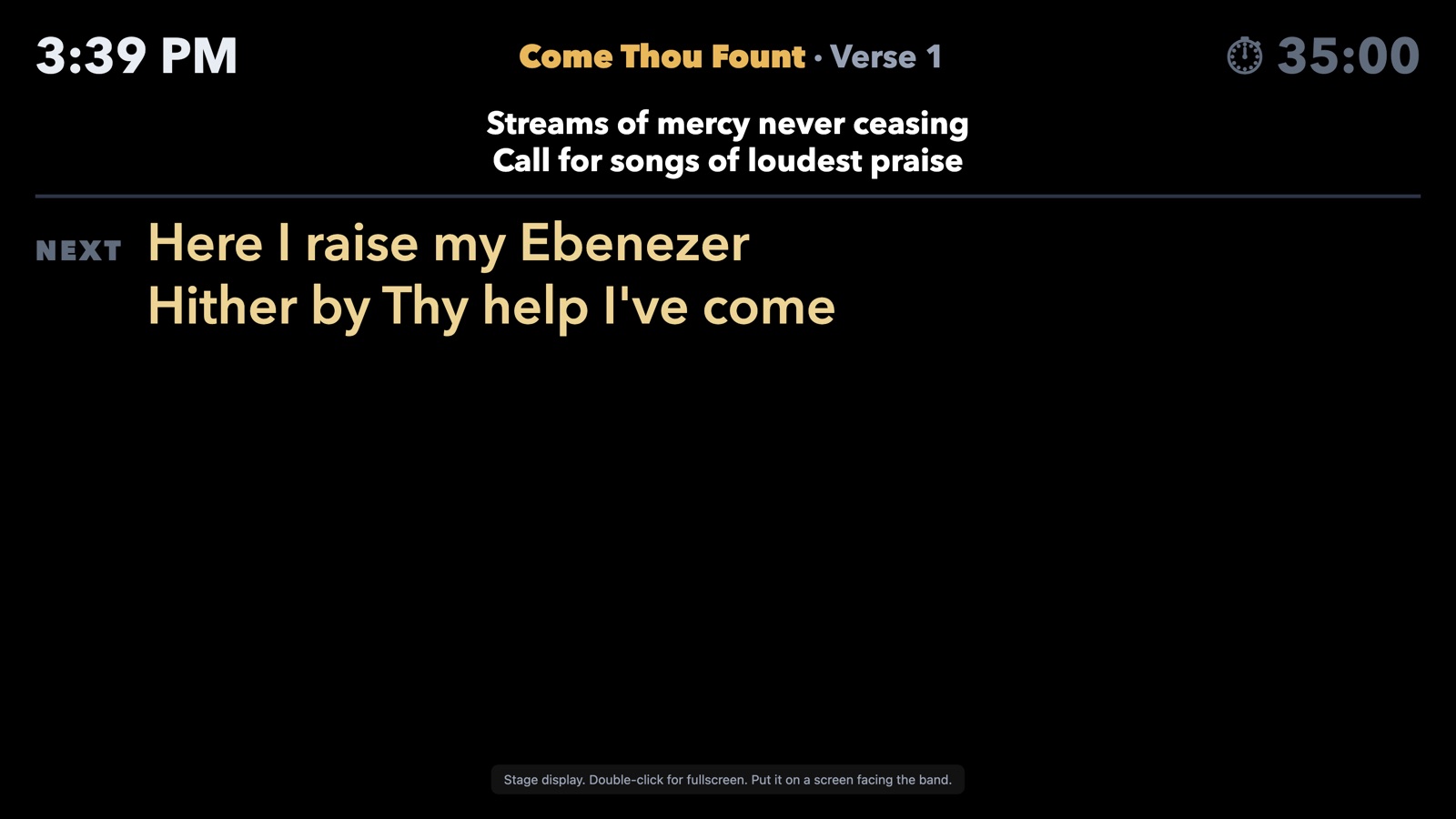
  • Current and next lines in large type the band can read from the stage.
  • The time and a service timer, so nobody runs long.
  • Send a message like "Repeat the chorus" without walking up front.
  • Cast it to a smart TV with AirPlay. No extra cable needed.
The stage display: clock, song name, current lyrics and the next line
Download

Get Sunday Plan

Not sure which Mac you have? Click the Apple menu โ†’ About This Mac. "Chip: Apple Mโ€ฆ" means Apple silicon.

Mac with Apple silicon

M1, M2, M3 and M4 Macs, including every Mac mini, MacBook Air and iMac from 2021 on.

Download

Mac with Intel

Older Macs with an Intel processor (most from 2020 and earlier).

Download

Windows

Coming soon. Let us know if your church runs Windows and we'll tell you when it's ready.

Tell me when it's ready

Installing for the first time
  1. Open the downloaded file and drag Sunday Plan onto the Applications folder.
  2. Open Sunday Plan from Applications. If your Mac says it can't verify the app, click Done.
  3. Go to System Settings โ†’ Privacy & Security, scroll down and click Open Anyway next to Sunday Plan. You only do this once.
  4. In Sunday Plan, open Settings to connect Planning Center and choose your projector. After that, Sunday Plan updates itself.
SundayPlan HQ for churches

Affordable AV help for your church

Sunday Plan is part of SundayPlan HQ: helping churches of every size look and sound their best on Sunday, without a big budget or a full-time tech team.

  • Setting up Sunday Plan, your projector and stage display
  • Training your volunteers
  • Advice on projectors, screens and livestreaming

Questions, or want help at your church?

Contact us

hello@sundayplanhq.com